Docs / Aim Trainer
Stats, Leaderboards and PVP Performance
Learn how the server tracks your stats, rankings, PVP performance and leaderboard achievements.
Last edited 21 Aug 2026
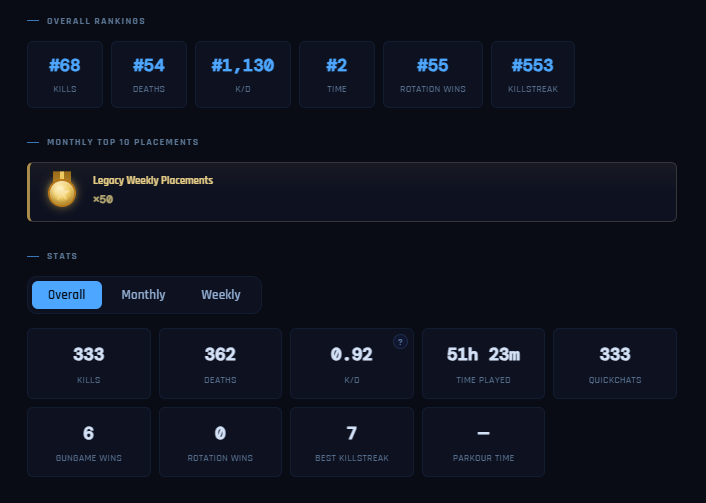
Once your Discord account is linked to your in-game username, the server will start saving your stats to your NotGR4VE profile. Your profile includes your kills, deaths, K/D, time played, quickchats, Gungame wins, Rotation wins, best killstreak and other stats. You can switch between your overall, monthly and weekly stats, while your profile also shows your rankings across different categories.
K/D and Rated K/D
Your normal K/D is your actual kills divided by your deaths. Rated K/D is a fairer version used for ranking players, as it reduces the impact of a high ratio from only a small number of kills.
Both start tracking immediately, but players only appear on the K/D leaderboard after reaching 20 kills. Rated K/D becomes more representative the more you play.
PVP Performance Statistics
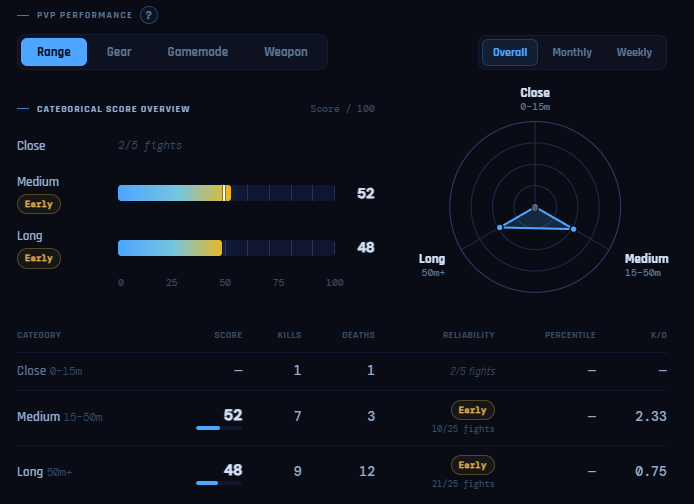
I wanted to add statistics that could help players see what they are doing well and what they might need to improve on. Rust Console does not currently give us every detail, such as headshots, accuracy or exact time to kill, but the PVP Performance Statistics still show useful information.
The four categories are:
- Range: See whether you perform better in close, medium or long range fights.
- Gear: See which gear tier you perform best with, such as tier 1, tier 2 or tier 3.
- Gamemode: See which gamemodes you perform best in.
- Weapon: See how you perform with different weapons.
These statistics build up and become more accurate as you play more. They also compare your performance against other players when enough data has been collected. At the moment, only you can see your own PVP Performance Statistics.
Website leaderboards
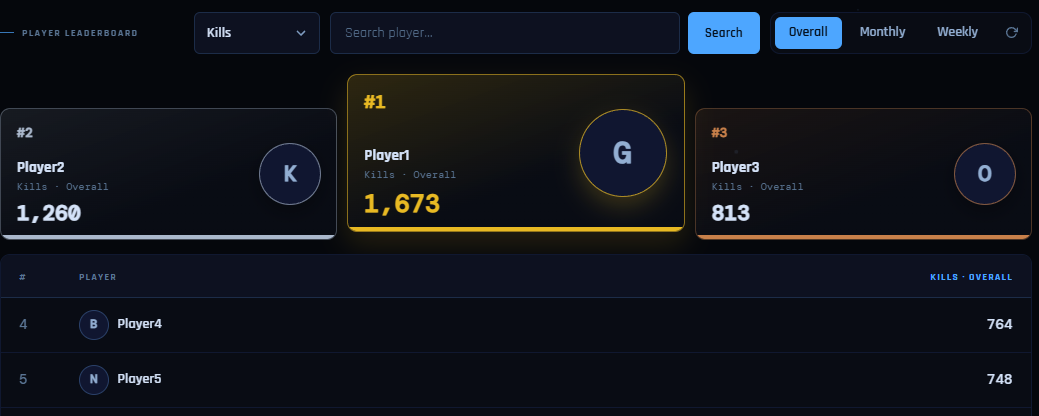
The website has a player leaderboard where you can choose different stats and periods. You can view overall, monthly or weekly leaderboards, search for a specific player and choose from stats such as kills, deaths, K/D, time played, wins, killstreaks and more.
The leaderboard displays up to 25 players per page, with four pages available.
Monthly placements and legacy badges
Monthly leaderboard placements now award achievements to players who finish in the top 10 of any stat. These achievements appear on your profile and can also be displayed on your profile card.
Before monthly stats were added, placement achievements were earned by finishing in the top 15 of a weekly leaderboard. Those weekly achievements can no longer be earned, but anyone who already had them now has a Legacy Weekly Placements badge on their profile.
Checking your stats through Discord
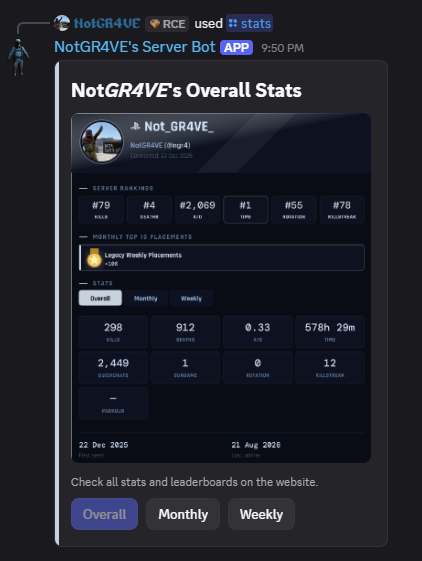
After linking your account, you can also check your own stats through Discord.
Go to the 💬︱server-commands channel and type /stats. The bot will send you a stats card showing your rankings, monthly placements and current stats. You can use the buttons below the card to switch between your overall, monthly and weekly stats.